






Creating a home office that feels both cozy and functional is essential for anyone working remotely or managing tasks at home. A well-designed space can boost your productivity, reduce stress, and make working from home an enjoyable experience. In this guide, we’ll explore practical steps to set up a home office that balances comfort with efficiency.
Why a Cozy and Functional Workspace Matters
Spending long hours in a poorly designed workspace can lead to discomfort and distraction. A cozy atmosphere keeps you comfortable and motivated, while a functional layout ensures everything you need is within reach. Together, these elements create a workspace that supports focus and creativity.
Step 1: Choose the Right Location
Selecting the right spot in your home is the first step toward an effective office space.
– Quiet Environment: Look for a space with minimal noise and distractions.
– Natural Light: A spot near a window offers daylight, which is great for your mood and energy.
– Space Availability: Consider the size and shape to fit your desk, chair, and storage comfortably.
If a dedicated room isn’t available, corners in living rooms or bedrooms can work well with the right setup.
Step 2: Invest in Comfortable Furniture
Comfortable furniture is key for long working hours.
– Ergonomic Chair: Choose a chair that supports your back and encourages good posture.
– Sturdy Desk: Ensure your desk is the right height for typing and writing.
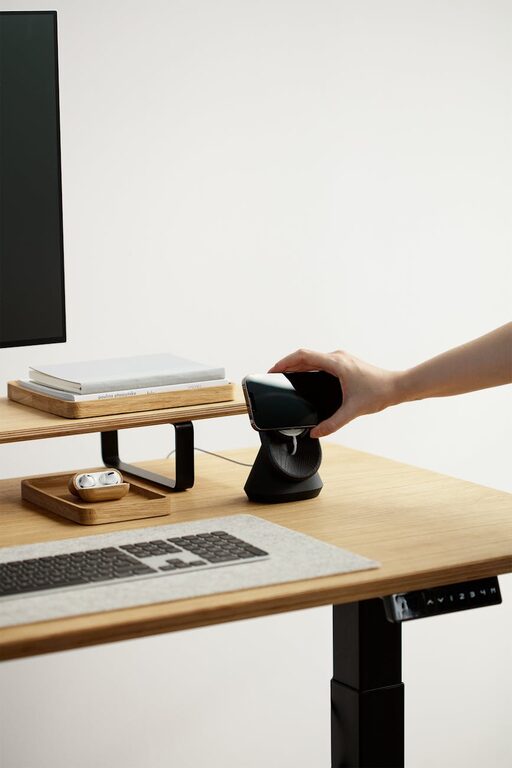
– Adjustable Options: If possible, consider a desk that allows you to switch between sitting and standing.
Adding a footrest or cushions can also improve comfort.
Step 3: Optimize Lighting
Proper lighting reduces eye strain and enhances productivity.
– Natural Light: Maximize daylight by positioning your desk near a window.
– Task Lighting: Use desk lamps with adjustable brightness for focused work.
– Ambient Lighting: Soft overhead lights create a warm, inviting atmosphere.
Avoid glare on screens by angling lights and furniture thoughtfully.
Step 4: Organize for Efficiency
Keeping your workspace tidy helps reduce distractions and save time.
– Storage Solutions: Use shelves, drawers, and boxes to store documents and supplies.
– Desk Accessories: Invest in organizers for pens, papers, and gadgets.
– Cable Management: Use clips or sleeves to keep wires neat.
Regular decluttering also helps maintain a calm environment.
Step 5: Add Personal Touches
Personal elements make your workspace inviting and unique.
– Plants: Small indoor plants improve air quality and add life to your office.
– Artwork: Photos, prints, or inspiring quotes can brighten the space.
– Comfort Items: Items like cozy blankets or a favorite mug add warmth and familiarity.
Balance personal touches with professionalism if clients or colleagues visit.
Step 6: Create Boundaries
To stay focused, set clear boundaries between work and home life.
– Defined Space: Avoid using your bed or sofa as work spots.
– Work Hours: Set specific times for work to maintain a routine.
– Physical Barriers: Use screens, curtains, or furniture arrangements to separate your office from the rest of the home.
This helps your brain switch between work mode and relaxation.
Step 7: Use Technology Wisely
Technology is vital but should be managed carefully.
– Reliable Equipment: Invest in a good computer, fast internet, and quality peripherals.
– Cable Setup: Keep cables organized and out of the way.
– Noise Control: Use headphones or white noise apps to minimize distractions.
Regularly update software and keep your devices clean and dust-free.
Step 8: Maintain Your Space
A functional home office needs ongoing care.
– Daily Tidy-Up: Spend a few minutes clearing your desk at the end of each day.
– Weekly Deep Clean: Dust, vacuum, and sanitize your workspace regularly.
– Adjust When Needed: Don’t hesitate to change your setup if you find inefficiencies or discomfort.
Keeping your space fresh supports long-term productivity and well-being.
—
Creating a cozy and functional home office space doesn’t require a big budget or major renovations. With thoughtful planning and simple upgrades, you can design a workspace that helps you perform your best while feeling comfortable and inspired. Start with small changes and adjust as you learn what works best for your needs. Happy working!