
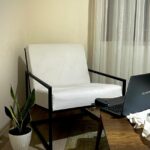







Creating a home office that feels cozy and encourages productivity can be a game changer for anyone working remotely or studying from home. When your workspace is inviting and well-organized, it’s easier to focus, reduce stress, and enjoy the time spent working. Below, we’ll explore practical tips for setting up a home office environment that combines comfort with efficiency.
1. Choose the Right Location
Picking the perfect spot for your home office is the first step. Ideally, find a quiet area with minimal distractions, enough natural light, and sufficient space for your equipment.
– Natural light improves mood and focus, so position your desk near a window if possible.
– Avoid high-traffic zones to stay undisturbed.
– If space is limited, consider creative solutions like a fold-away desk or multifunctional furniture.
2. Invest in Ergonomic Furniture
Comfort plays a significant role in productivity. Choose furniture that supports your posture and reduces strain.
– Ergonomic chair: Look for adjustable height, lumbar support, and comfortable cushioning.
– Desk height: Ensure your desk allows you to work without bending your wrists or slouching.
– A footrest and keyboard stand can also help maintain proper posture.
3. Optimize Lighting
Good lighting is essential to reduce eye strain and maintain energy throughout the day.
– Use a combination of natural and artificial lighting.
– A desk lamp with adjustable brightness can help during evenings or cloudy days.
– Avoid harsh overhead lights or glare on your screen.
4. Keep Your Space Organized
A clutter-free environment helps clear your mind and improve workflow.
– Use shelves, drawers, or storage boxes to keep documents and supplies tidy.
– Cable management tools prevent tangling and create a neater space.
– Regularly declutter to avoid accumulation of unnecessary items.
5. Personalize Your Workspace
Adding personal touches can make your home office feel cozy and inviting.
– Add plants to improve air quality and create a calming atmosphere.
– Display artwork, loved photos, or motivational quotes to inspire you.
– Use rugs or cushions for extra warmth and comfort.
6. Manage Noise Levels
Noise can be a major distraction when working from home.
– Use noise-cancelling headphones to block out background sounds.
– Consider soft furnishings like curtains and carpets to absorb noise.
– White noise machines or calming music playlists can also enhance concentration.
7. Incorporate Technology Wisely
The right technology setup supports productive work without unnecessary distractions.
– Invest in reliable internet, a good quality monitor, keyboard, and mouse.
– Use apps or tools to organize tasks and manage time efficiently.
– Keep cables and gadgets organized to maintain a clean workspace.
8. Take Breaks and Move Around
Even in a cozy environment, sitting too long can reduce productivity and affect health.
– Follow the 50/10 rule: 50 minutes work, then 10 minutes break.
– Use breaks to stretch, walk around, or do light exercises.
– Consider a sit-stand desk to alternate positions during the day.
9. Maintain Good Air Quality and Temperature
Fresh air and a comfortable temperature contribute to your wellbeing.
– Regularly ventilate the room by opening windows.
– Use a fan, heater, or air purifier if necessary.
– Avoid overly warm or cold conditions that can cause discomfort.
—
By combining these tips, you can create a home office space that feels welcoming and supports your best work. Remember that comfort and productivity go hand-in-hand, so tailor your environment to suit your personal needs and preferences. A cozy, organized, and well-equipped workspace makes remote work not only more efficient but also more enjoyable.